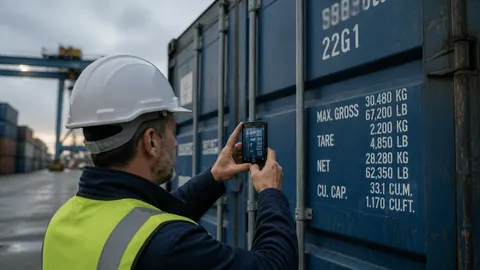
Every steel shipping container that moves through a port, depot, or terminal has to be inspected — for structural damage, for the integrity of its markings, and for the simple question of whether it is safe and seaworthy to carry cargo across an ocean. For decades that work was done with a clipboard, a camera, and a lot of manual data entry back at the office. Today, purpose-built container inspection software can do the same job faster, more accurately, and with a permanent digital record. But not all of these tools are built the same, and choosing the wrong one can cost you time, accuracy, and money.
If you are evaluating options, here are the criteria that actually matter.
1. It has to work where the work happens
Container inspection does not happen at a desk. It happens in a yard, on a quay, or beside a truck — often in rain, glare, or fading light, sometimes with spotty connectivity or none at all. The single most important question to ask about any inspection tool is whether it was designed for that environment.
A mobile-first solution that runs on the phone or tablet already in your inspector’s pocket beats a desktop system every time. Look for an app that is quick to open, easy to operate one-handed, and — critically — capable of working offline. Connectivity at ports is unpredictable, and an inspection tool that stalls the moment the signal drops is worse than useless. The right software captures everything locally and syncs automatically the moment a connection returns.
2. Accurate capture of container numbers
The container number — that ISO 6346 code stenciled on the side of every unit — is the anchor for the entire inspection record. Type it in wrong and the whole report attaches to the wrong container. Manual entry is slow and error-prone, especially across hundreds of units a day.
The best software reads the number for you. Automated capture that recognizes the container number, check digit, and ownership prefix removes the most common source of inspection error and dramatically speeds up throughput. When you evaluate a tool, test it against real containers in real conditions — worn stencils, odd angles, poor light — not just a clean demo image. This is exactly the problem CargoCapture was built to solve: fast, reliable reading of container markings from a standard mobile device.
3. A cloud database behind the app
Capturing data in the field is only half the job. That information needs to live somewhere central, where it is backed up, searchable, and available to everyone who needs it. A tool that only stores records on the device is a liability — phones get lost, damaged, and replaced.
A cloud-backed system means every inspection flows into one shared database automatically. Managers can pull up any container’s history, generate reports, and track trends without chasing paperwork or waiting for someone to email a spreadsheet. When you compare products, ask where the data goes, how it is secured, and how easily you can get it back out. CargoCapture pairs its mobile app with exactly this kind of cloud component, so field data and office visibility stay in sync.
4. Standards and documentation you can defend
Container inspection is not just internal record-keeping; it often has to stand up to shipping lines, leasing companies, and regulators. Your software should make it easy to document condition thoroughly — timestamped photos, damage notes, and structured fields — so that every record is complete and defensible.
Look for the ability to attach multiple photos to a single inspection, annotate damage, and produce a clean, consistent report at the end. Consistency matters as much as detail: when every inspector follows the same digital workflow, your records become comparable across sites and over time.
5. Simplicity your team will actually adopt
The most powerful inspection platform in the world is worthless if your inspectors resist using it. Field staff are not always technical, turnover can be high, and training time is expensive. Favor software that a new inspector can learn in an afternoon over a system that requires a week of onboarding.
A clean interface, minimal taps per inspection, and sensible defaults are not luxuries — they are what determine whether the tool gets used correctly on a busy Monday morning. When you trial a product, put it in the hands of your actual inspectors, not just your IT team, and watch how quickly they take to it.
6. Room to grow
The tool that fits a single depot today should still fit when you are running several sites and inspecting thousands of containers a month. Ask how the software handles more users, more locations, and more data. Cloud-based solutions generally scale more gracefully than anything tied to a specific machine, and a subscription model lets you add users as you grow rather than committing to a large upfront purchase.
7. Security and data ownership
Your inspection records are business assets. Make sure any provider can tell you clearly how your data is stored, who can access it, and — just as importantly — how you can export it if you ever decide to switch. Avoid systems that lock your history inside a format only they can read.
Putting it together
The right container inspection software should feel almost invisible: an inspector walks up to a container, the app reads the number, they snap a few photos, note any damage, and move on — while a complete, accurate record quietly lands in a central database back at the office. That combination of a rugged mobile front end and a reliable cloud back end is the standard worth holding every option to.
CargoCapture was designed around exactly these principles — mobile capture that works in the field and a cloud database that keeps your records organized and accessible. If you are rethinking how your team inspects containers, we would be glad to show you how it works.